cs/16 · design systems & figma plugins · figma community
Slim Design System Plugin
Generate Design System in Minutes
Problem
ASBL's design system was growing, but maintaining it was still too manual. Token updates, component generation, and documentation work were repetitive, which slowed designers down and increased the chance of drift across files.
Role
I identified the workflow bottlenecks, designed the plugin experience, and built a Figma plugin that automated the repetitive parts of system work.
Constraints
- The plugin had to reduce effort without making the design process feel rigid.
- It needed to work inside existing team workflows instead of forcing a new one.
- Designers needed speed, but system integrity still had to be protected.
Process
I spoke with the team to understand where system work was breaking down and prioritized three outcomes: automate predictable tasks, make the correct system path easier, and keep documentation closer to the work itself.
Decisions
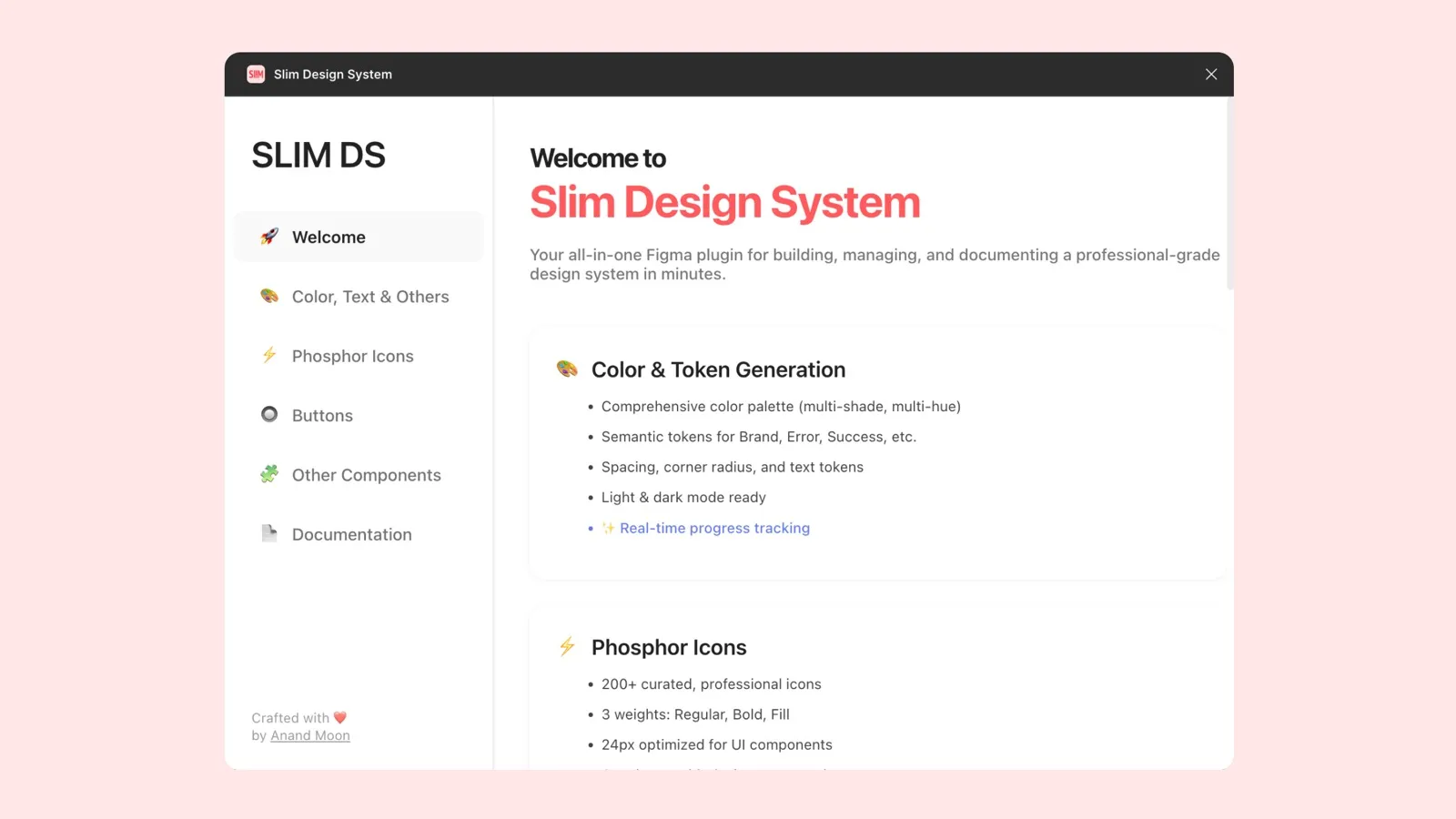
- Built a token engine: 320+ semantic tokens for color, type, spacing, radius, and shadows.
- Created a palette editor: designers could preview, search, and update token values more safely.
- Added component generation: common button variants and system patterns could be created in one flow.
- Used progressive disclosure: collapsible sections kept the UI usable without overwhelming designers.
- Synced documentation: spec pages for props, states, and usage reduced handoff ambiguity.
Outcome
The plugin turned system maintenance from a repetitive chore into a more guided, scalable workflow. Designers could move faster while staying closer to the rules of the design system.
Impact
- ~60% faster component setup for common UI.
- Fewer regressions from token drift; updates distributed reliably.
- Higher adoption of the system-by-default path; new designers onboard faster.
- Cleaner handoff: doc sync reduced clarify-pings between design and dev.